





Multimodal OCR: Parse Anything from Documents
Paper • 2603.13032 • Published • 46
ONNX builds of dots.mocr, made by Moonbox for on-device use with ONNX Runtime (CPU, CUDA, DirectML). Each
precision is one folder holding the graphs and a small Python pipeline.py that does the rest (image preprocessing,
prompt, positions, decoding loop); what the graphs take and return is under How to run.
The last column is the benchmark against the original model (details under How to run): character error rate of the recognised text against the page's text, per language, and against the original's own output.
| Precision | File | Size | sha256 | Benchmark |
|---|---|---|---|---|
| fp16 | fp16/chat_template.json |
1.1 kB | c8d629ba2b31 |
CER 0.0 % / 0.0 % (original 0.0 / 0.0, bf16), identical text; 0.65 s per page (CUDA) |
| fp16 | fp16/decoder.onnx |
0.2 MB | 8e7cff6f1700 |
CER 0.0 % / 0.0 % (original 0.0 / 0.0, bf16), identical text; 0.65 s per page (CUDA) |
| fp16 | fp16/decoder.onnx.data |
3.12 GB | f0c5ef55a085 |
CER 0.0 % / 0.0 % (original 0.0 / 0.0, bf16), identical text; 0.65 s per page (CUDA) |
| fp16 | fp16/embed.onnx |
466.7 MB | c1180f1addfa |
CER 0.0 % / 0.0 % (original 0.0 / 0.0, bf16), identical text; 0.65 s per page (CUDA) |
| fp16 | fp16/generation_config.json |
0.1 kB | d9ca5bd51bbf |
CER 0.0 % / 0.0 % (original 0.0 / 0.0, bf16), identical text; 0.65 s per page (CUDA) |
| fp16 | fp16/merges.txt |
1.7 MB | 599bab540750 |
CER 0.0 % / 0.0 % (original 0.0 / 0.0, bf16), identical text; 0.65 s per page (CUDA) |
| fp16 | fp16/pipeline.py |
6.4 kB | 68f12fdf0bf5 |
CER 0.0 % / 0.0 % (original 0.0 / 0.0, bf16), identical text; 0.65 s per page (CUDA) |
| fp16 | fp16/preprocessor_config.json |
0.4 kB | fec8b3187ab0 |
CER 0.0 % / 0.0 % (original 0.0 / 0.0, bf16), identical text; 0.65 s per page (CUDA) |
| fp16 | fp16/special_tokens_map.json |
0.5 kB | 92b060f39417 |
CER 0.0 % / 0.0 % (original 0.0 / 0.0, bf16), identical text; 0.65 s per page (CUDA) |
| fp16 | fp16/tokenizer.json |
7.0 MB | 386545eb05f0 |
CER 0.0 % / 0.0 % (original 0.0 / 0.0, bf16), identical text; 0.65 s per page (CUDA) |
| fp16 | fp16/tokenizer_config.json |
9.3 kB | 4f09a26dd6b2 |
CER 0.0 % / 0.0 % (original 0.0 / 0.0, bf16), identical text; 0.65 s per page (CUDA) |
| fp16 | fp16/vision.onnx |
1.3 MB | b3c8faf4d747 |
CER 0.0 % / 0.0 % (original 0.0 / 0.0, bf16), identical text; 0.65 s per page (CUDA) |
| fp16 | fp16/vision.onnx.data |
2.52 GB | 12ea0e09143b |
CER 0.0 % / 0.0 % (original 0.0 / 0.0, bf16), identical text; 0.65 s per page (CUDA) |
| fp16 | fp16/vocab.json |
2.8 MB | ca10d7e9fb3e |
CER 0.0 % / 0.0 % (original 0.0 / 0.0, bf16), identical text; 0.65 s per page (CUDA) |
| int8 | int8/chat_template.json |
1.1 kB | c8d629ba2b31 |
CER 0.0 % / 0.0 %, identical text; 0.66 s per page (CUDA) |
| int8 | int8/decoder.onnx |
0.2 MB | ce7e6f6a17bd |
CER 0.0 % / 0.0 %, identical text; 0.66 s per page (CUDA) |
| int8 | int8/decoder.onnx.data |
1.67 GB | 378cdee96fac |
CER 0.0 % / 0.0 %, identical text; 0.66 s per page (CUDA) |
| int8 | int8/embed.onnx |
233.7 MB | 77291aaa6438 |
CER 0.0 % / 0.0 %, identical text; 0.66 s per page (CUDA) |
| int8 | int8/generation_config.json |
0.1 kB | d9ca5bd51bbf |
CER 0.0 % / 0.0 %, identical text; 0.66 s per page (CUDA) |
| int8 | int8/merges.txt |
1.7 MB | 599bab540750 |
CER 0.0 % / 0.0 %, identical text; 0.66 s per page (CUDA) |
| int8 | int8/pipeline.py |
6.4 kB | 68f12fdf0bf5 |
CER 0.0 % / 0.0 %, identical text; 0.66 s per page (CUDA) |
| int8 | int8/preprocessor_config.json |
0.4 kB | fec8b3187ab0 |
CER 0.0 % / 0.0 %, identical text; 0.66 s per page (CUDA) |
| int8 | int8/special_tokens_map.json |
0.5 kB | 92b060f39417 |
CER 0.0 % / 0.0 %, identical text; 0.66 s per page (CUDA) |
| int8 | int8/tokenizer.json |
7.0 MB | 386545eb05f0 |
CER 0.0 % / 0.0 %, identical text; 0.66 s per page (CUDA) |
| int8 | int8/tokenizer_config.json |
9.3 kB | 4f09a26dd6b2 |
CER 0.0 % / 0.0 %, identical text; 0.66 s per page (CUDA) |
| int8 | int8/vision.onnx |
1.27 GB | e78a36185552 |
CER 0.0 % / 0.0 %, identical text; 0.66 s per page (CUDA) |
| int8 | int8/vocab.json |
2.8 MB | ca10d7e9fb3e |
CER 0.0 % / 0.0 %, identical text; 0.66 s per page (CUDA) |
License. dots.mocr is released under the dots.mocr LICENSE AGREEMENT (copied here), which builds on the MIT License:
use, modification and redistribution are allowed, including commercially, on its terms. NOTICE lists the third-party
code it includes.
dots.mocr (rednote-hilab: a 3B document-parsing VLM. It pairs a 1.2B NaViT vision encoder with a 1.5B Qwen2 decoder,
and handles text, layout, tables, formulas and web pages) as three ONNX graphs plus pipeline.py, a numpy runtime that
reproduces the repository's processor and greedy decoding around them.
vision.onnx: one image: pixel_values [P, 588] (the processor's 3 x 14 x 14 patches, grouped by 2 x 2 merge
block) and position_ids [P, 2] (each patch's row / column) -> image_embeds [P / 4, 1536] (the 42-layer dots ViT
with 2-D RoPE, then the patch merger).embed.onnx: input_ids [1, S] -> inputs_embeds [1, S, 1536].decoder.onnx: the Qwen2 decoder (28 layers, plain 1-D RoPE) from onnxruntime-genai's model builder:
inputs_embeds, attention_mask, past_key_values.* -> logits, present.*.pipeline.py does the rest in numpy:
<|user|><|img|>...<|endofimg|>{prompt}<|endofuser|><|assistant|>;It needs numpy, onnxruntime (or onnxruntime-gpu), tokenizers and Pillow:
import sys
from PIL import Image
sys.path.insert(0, "int8")
import pipeline
ocr = pipeline.DotsOCR("int8", "cuda")
print(ocr(Image.open("page.png")))       # prompt_ocr: "Extract the text content from this image."
The prompts are those of dots_mocr/utils/prompts.py in the GitHub repository (prompt_layout_all_en returns the
layout with text as JSON). The repository's PDF / layout post-processing isn't included. On Windows, give CUDA sessions
the run option memory.enable_memory_arena_shrinkage = gpu:0, as pipeline.py does. Every input length differs, so
ONNX Runtime's GPU arena otherwise keeps growing.
Precisions. fp16/: the vision encoder fp16 weights and math with fp32 inputs / outputs, the embedding table
fp16, the decoder fp16 (builder). int8/: the vision encoder weight-only int8, the embedding table int8 per row, the
decoder 8-bit MatMulNBits (block 32). No int4: the 4-bit decoder made the Chinese pages run away (CER 1187 %; English
pages stayed exact), and 4-bit vision broke every page. No bf16: fp16 passes.
Benchmark. The lab's 12 synthetic pages: six English and six Chinese sentences of our own, rendered with Windows
fonts, so the text is known exactly. The prompt is prompt_ocr, decoded greedily. The original is the repository's
code (transformers 4.57.6, as the GitHub repository pins) in bfloat16 on CUDA, as the model ships. Scores: character
error rate (whitespace ignored) against the page's text, and against the original's output. Pass (the ASR rule): per
language, CER at most 1 point above the original's. The set is easy: the original reads every page exactly, and so
does every published build; it shows the conversion is faithful, not how the model does on hard documents. Time per
page on an RTX 3080 Laptop GPU (16 GB), whole pipeline.
| CER English / Chinese | CER vs the original's text | seconds per page | |
|---|---|---|---|
| original (PyTorch bf16, CUDA) | 0.0 % / 0.0 % | - | 1.72 |
fp16/ (CUDA) |
0.0 % / 0.0 % | 0.0 % / 0.0 % | 0.65 |
int8/ (CUDA) |
0.0 % / 0.0 % | 0.0 % / 0.0 % | 0.66 |
Graphs checked against the original modules before the benchmark (largest absolute difference, float32): vision 6.7e-4 of 18.4 (the wrapper is identical to the tower's own forward), embedding exact; the numpy front end gives the processor's prompt ids exactly.
From dots.mocr at revision 7c53434cd4. The graphs were exported from the original PyTorch modules with
torch.onnx (opset 17) and checked against them. Weight-only quantization: int8 is a per-output-channel int8 weight
behind DequantizeLinear, int4 is ONNX Runtime's MatMulNBits (block 32). Each card above says which precision every
graph uses. Every precision was benchmarked against the original before upload (pass: per language, character error
rate at most 1 point above the original's), and the sha256 column above is what the files must hash to.
mit. These files are a derivative of the original model and carry its license: it is copied in this repository, and it governs your use of these files. The original model card follows unchanged.
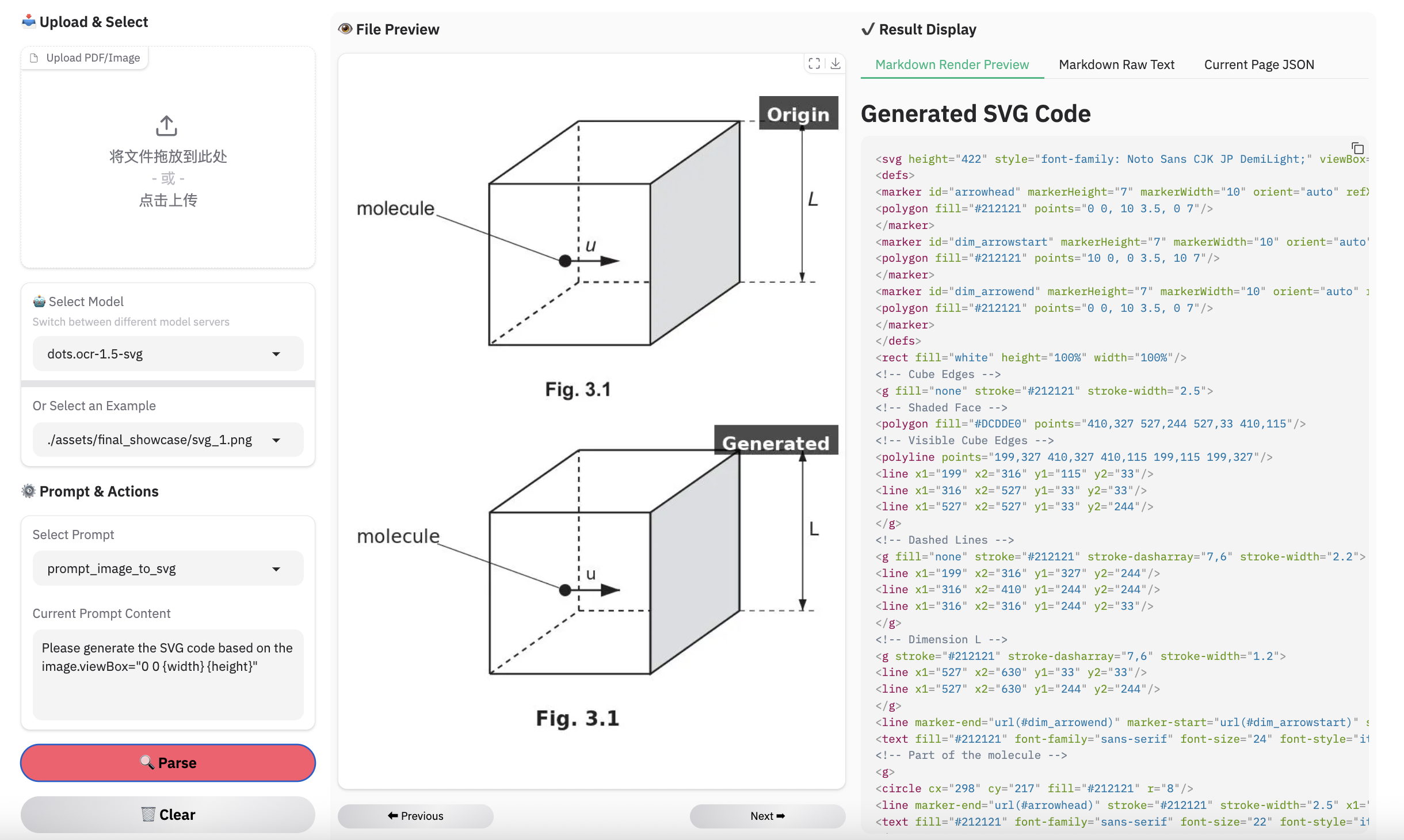
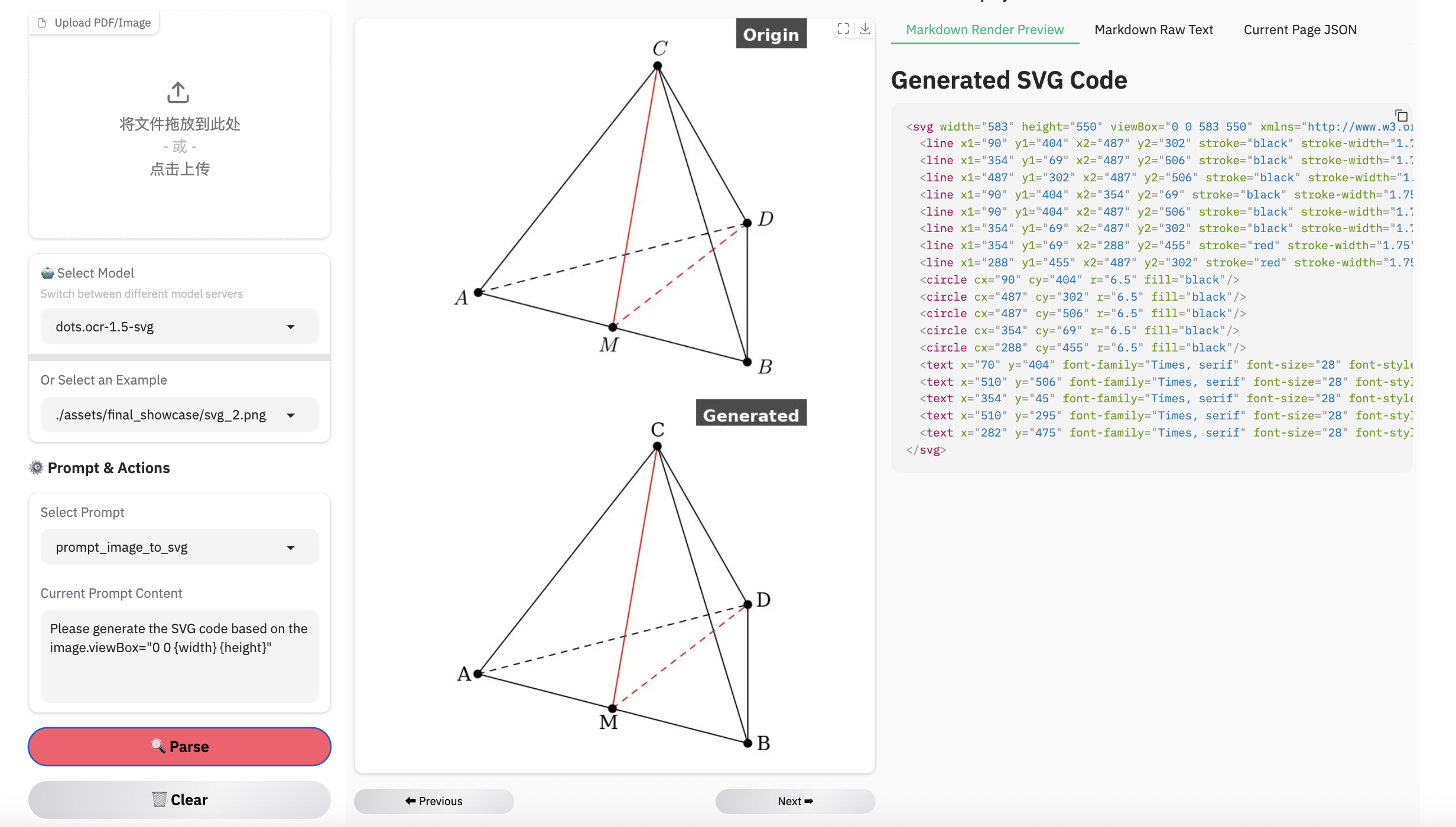
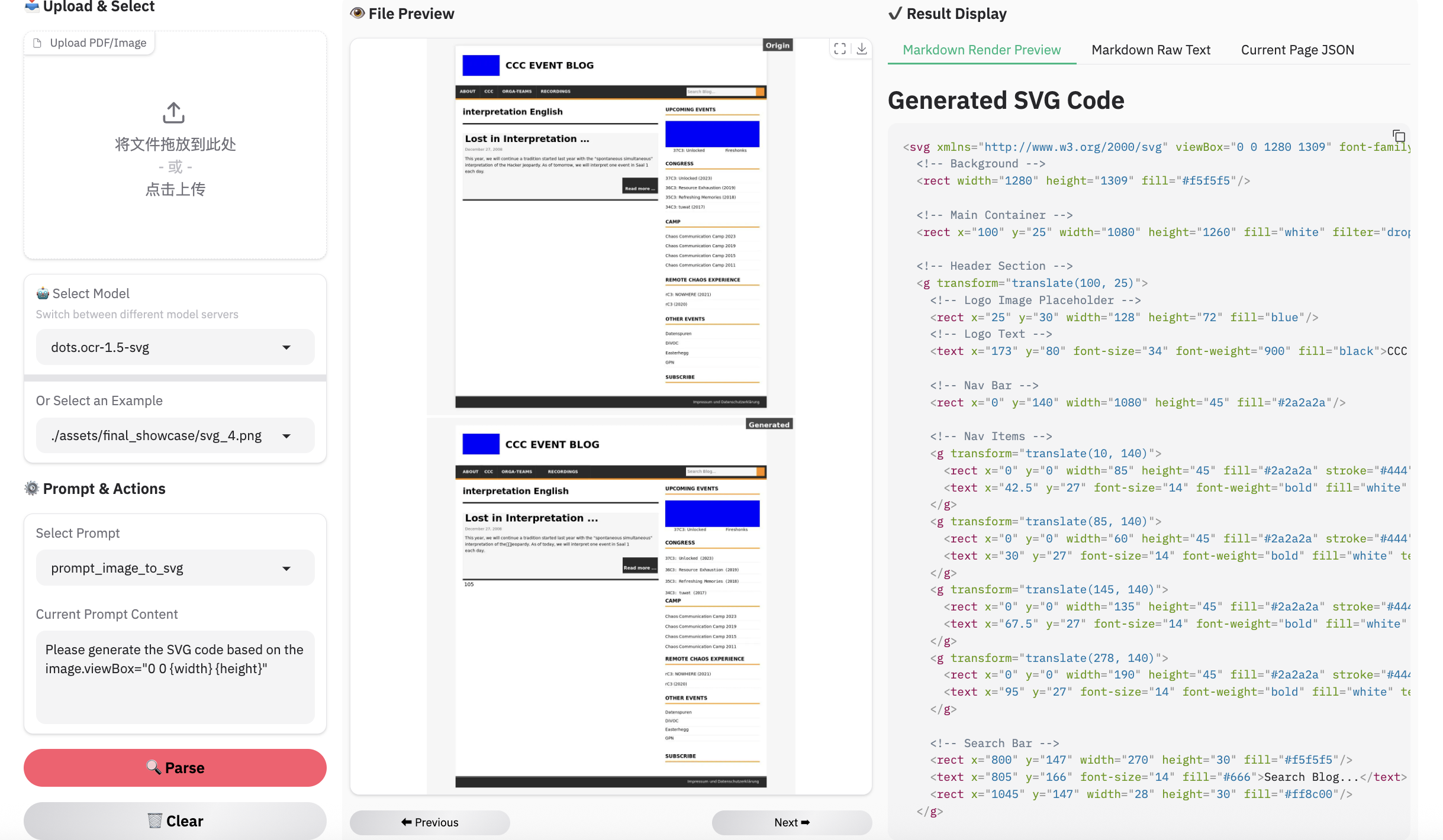
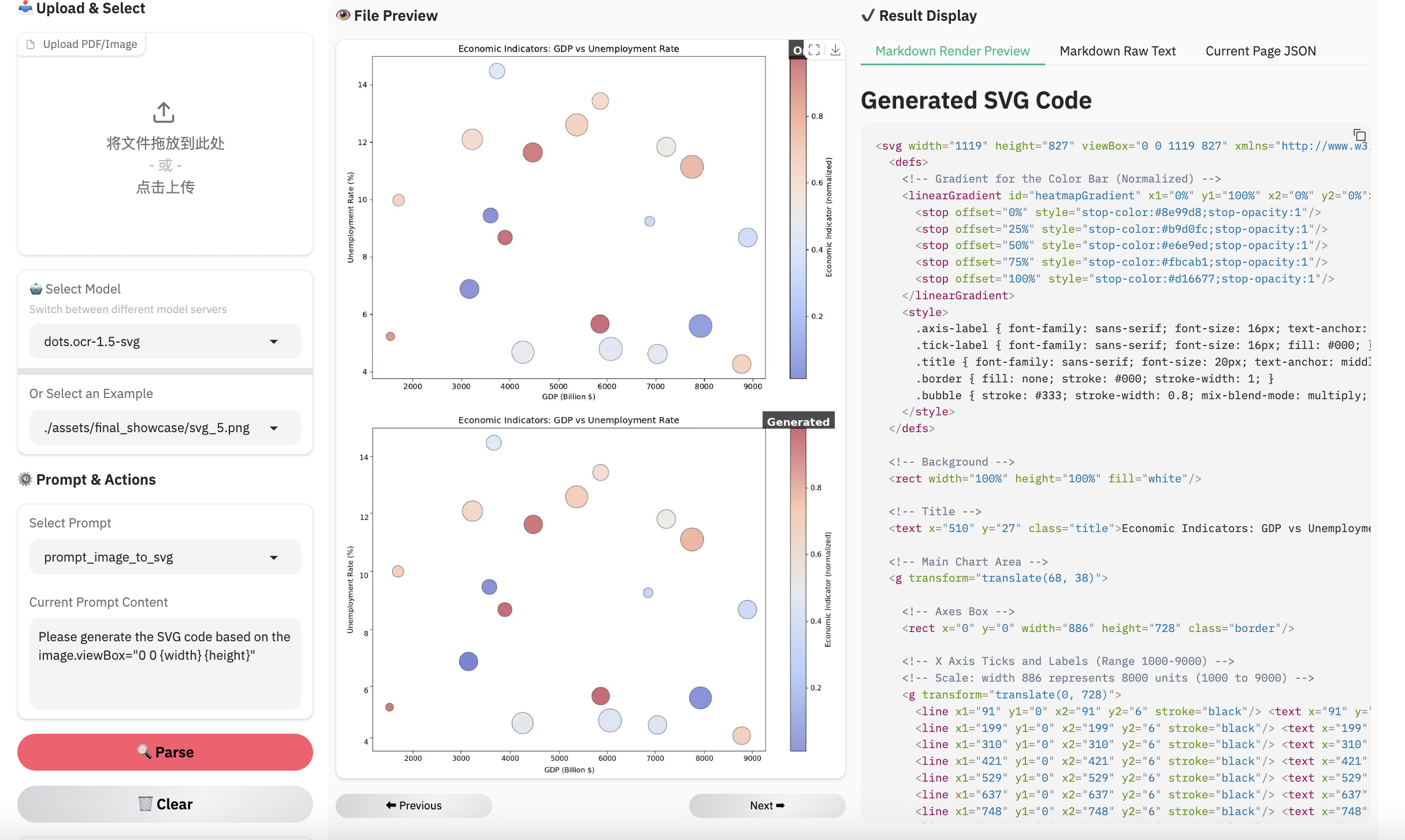
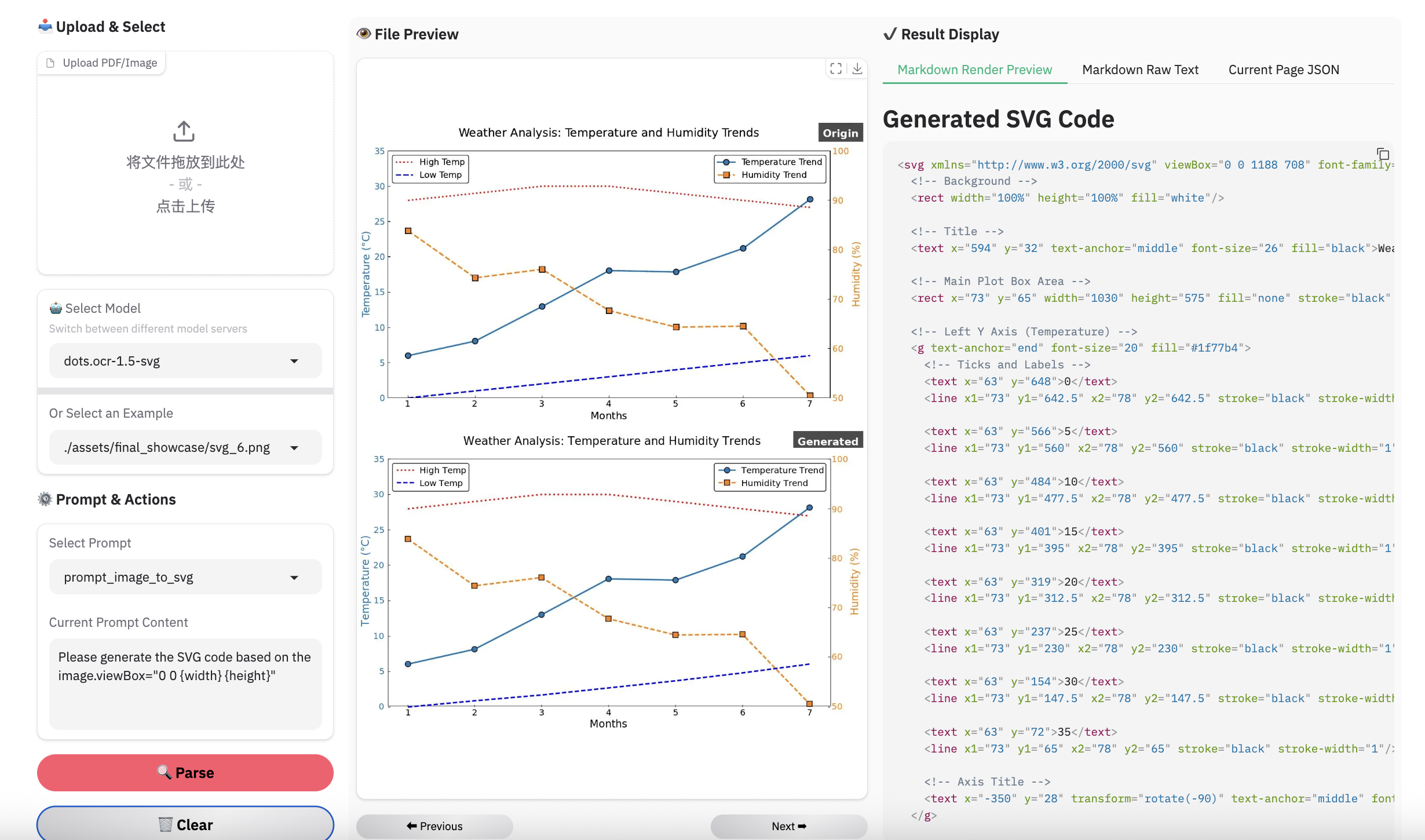
We present dots.mocr. Beyond achieving state-of-the-art (SOTA) performance in standard multilingual document parsing among models of comparable size, dots.mocr excels at converting structured graphics (e.g., charts, UI layouts, scientific figures and etc.) directly into SVG code. Its core capabilities encompass grounding, recognition, semantic understanding, and interactive dialogue.
Simultaneously, we are releasing dots.mocr-svg, a variant specifically optimized for robust image-to-SVG parsing tasks.
More information can be found in the paper.
| models | olmOCR-Bench | OmniDocBench (v1.5) | XDocParse | Average |
|---|---|---|---|---|
| MonkeyOCR-pro-3B | 895.0 | 811.3 | 637.1 | 781.1 |
| GLM-OCR | 884.2 | 972.6 | 820.7 | 892.5 |
| PaddleOCR-VL-1.5 | 897.3 | 997.9 | 866.4 | 920.5 |
| HuanyuanOCR | 997.6 | 1003.9 | 951.1 | 984.2 |
| dots.ocr | 1041.1 | 1027.2 | 1190.3 | 1086.2 |
| dots.mocr | 1104.4 | 1059.0 | 1210.7 | 1124.7 |
| Gemini 3 Pro | 1180.4 | 1128.0 | 1323.7 | 1210.7 |
Notes:
- Results for Gemini 3 Pro, PaddleOCR-VL-1.5, and GLM-OCR were obtained via APIs, while HuanyuanOCR results were generated using local inference.
- The Elo score evaluation was conducted using Gemini 3 Flash. The prompt can be found at: Elo Score Prompt. These results are consistent with the findings on ocrarena.
| Model | ArXiv | Old scans math | Tables | Old scans | Headers & footers | Multi column | Long tiny text | Base | Overall |
|---|---|---|---|---|---|---|---|---|---|
| Mistral OCR API | 77.2 | 67.5 | 60.6 | 29.3 | 93.6 | 71.3 | 77.1 | 99.4 | 72.0±1.1 |
| Marker 1.10.1 | 83.8 | 66.8 | 72.9 | 33.5 | 86.6 | 80.0 | 85.7 | 99.3 | 76.1±1.1 |
| MinerU 2.5.4* | 76.6 | 54.6 | 84.9 | 33.7 | 96.6 | 78.2 | 83.5 | 93.7 | 75.2±1.1 |
| DeepSeek-OCR | 77.2 | 73.6 | 80.2 | 33.3 | 96.1 | 66.4 | 79.4 | 99.8 | 75.7±1.0 |
| Nanonets-OCR2-3B | 75.4 | 46.1 | 86.8 | 40.9 | 32.1 | 81.9 | 93.0 | 99.6 | 69.5±1.1 |
| PaddleOCR-VL* | 85.7 | 71.0 | 84.1 | 37.8 | 97.0 | 79.9 | 85.7 | 98.5 | 80.0±1.0 |
| Infinity-Parser 7B* | 84.4 | 83.8 | 85.0 | 47.9 | 88.7 | 84.2 | 86.4 | 99.8 | 82.5±? |
| olmOCR v0.4.0 | 83.0 | 82.3 | 84.9 | 47.7 | 96.1 | 83.7 | 81.9 | 99.7 | 82.4±1.1 |
| Chandra OCR 0.1.0* | 82.2 | 80.3 | 88.0 | 50.4 | 90.8 | 81.2 | 92.3 | 99.9 | 83.1±0.9 |
| dots.ocr | 82.1 | 64.2 | 88.3 | 40.9 | 94.1 | 82.4 | 81.2 | 99.5 | 79.1±1.0 |
| dots.mocr | 85.9 | 85.5 | 90.7 | 48.2 | 94.0 | 85.3 | 81.6 | 99.7 | 83.9±0.9 |
Note:
- The metrics are from olmocr, and our own internal evaluations.
- We delete the Page-header and Page-footer cells in the result markdown.
| Model Type | Methods | Size | OmniDocBench(v1.5) TextEdit↓ |
OmniDocBench(v1.5) Read OrderEdit↓ |
pdf-parse-bench |
|---|---|---|---|---|---|
| GeneralVLMs | Gemini-2.5 Pro | - | 0.075 | 0.097 | 9.06 |
| Qwen3-VL-235B-A22B-Instruct | 235B | 0.069 | 0.068 | 9.71 | |
| gemini3pro | - | 0.066 | 0.079 | 9.68 | |
| SpecializedVLMs | Mistral OCR | - | 0.164 | 0.144 | 8.84 |
| Deepseek-OCR | 3B | 0.073 | 0.086 | 8.26 | |
| MonkeyOCR-3B | 3B | 0.075 | 0.129 | 9.27 | |
| OCRVerse | 4B | 0.058 | 0.071 | -- | |
| MonkeyOCR-pro-3B | 3B | 0.075 | 0.128 | - | |
| MinerU2.5 | 1.2B | 0.047 | 0.044 | - | |
| PaddleOCR-VL | 0.9B | 0.035 | 0.043 | 9.51 | |
| HunyuanOCR | 0.9B | 0.042 | - | - | |
| PaddleOCR-VL1.5 | 0.9B | 0.035 | 0.042 | - | |
| GLMOCR | 0.9B | 0.04 | 0.043 | - | |
| dots.ocr | 3B | 0.048 | 0.053 | 9.29 | |
| dots.mocr | 3B | 0.031 | 0.029 | 9.54 |
Note:
- Metrics are sourced from OmniDocBench and other model publications. pdf-parse-bench results are reproduced by Qwen3-VL-235B-A22B-Instruct.
- Formula and Table metrics for OmniDocBench1.5 are omitted due to their high sensitivity to detection and matching protocols.
Visual languages (e.g., charts, graphics, chemical formulas, logos) encapsulate dense human knowledge. dots.mocr unifies the interpretation of these elements by parsing them directly into SVG code.
| Methods | Unisvg | Chartmimic | Design2Code | Genexam | SciGen | ChemDraw | ||
|---|---|---|---|---|---|---|---|---|
| Low-Level | High-Level | Score | ||||||
| OCRVerse | 0.632 | 0.852 | 0.763 | 0.799 | - | - | - | 0.881 |
| Gemini 3 Pro | 0.563 | 0.850 | 0.735 | 0.788 | 0.760 | 0.756 | 0.783 | 0.839 |
| dots.mocr | 0.850 | 0.923 | 0.894 | 0.772 | 0.801 | 0.664 | 0.660 | 0.790 |
| dots.mocr-svg | 0.860 | 0.931 | 0.902 | 0.905 | 0.834 | 0.8 | 0.797 | 0.901 |
Note:
- We use the ISVGEN metric from UniSVG to evaluate the parsing result. For benchmarks that do not natively support image parsing, we use the original images as input, and calculate the ISVGEN score between the rendered output and the original image.
- OCRVerse results are derived from various code formats (e.g., SVG, Python), whereas results for Gemini 3 Pro and dots.mocr are based specifically on SVG code.
- Due to the capacity constraints of a 3B-parameter VLM, dots.mocr may not excel in all tasks yet like svg. To complement this, we are simultaneously releasing dots.mocr-svg. We plan to further address these limitations in future updates.
| Model | CharXiv_descriptive | CharXiv_reasoning | OCR_Reasoning | infovqa | docvqa | ChartQA | OCRBench | AI2D | CountBenchQA | refcoco |
|---|---|---|---|---|---|---|---|---|---|---|
| Qwen3vl-2b-instruct | 62.3 | 26.8 | - | 72.4 | 93.3 | - | 85.8 | 76.9 | 88.4 | - |
| Qwen3vl-4b-instruct | 76.2 | 39.7 | - | 80.3 | 95.3 | - | 88.1 | 84.1 | 84.9 | - |
| dots.mocr | 77.4 | 55.3 | 22.85 | 73.76 | 91.85 | 83.2 | 86.0 | 82.16 | 94.46 | 80.03 |
conda create -n dots_mocr python=3.12
conda activate dots_mocr

git clone https://github.com/rednote-hilab/dots.mocr.git
cd dots.mocr

# Install pytorch, see https://pytorch.org/get-started/previous-versions/ for your cuda version
# pip install torch==2.7.0 torchvision==0.22.0 torchaudio==2.7.0 --index-url https://download.pytorch.org/whl/cu128
# install flash-attn==2.8.0.post2 for faster inference
pip install -e .
If you have trouble with the installation, try our Docker Image for an easier setup, and follow these steps:
💡Note: Please use a directory name without periods (e.g.,
DotsMOCRinstead ofdots.mocr) for the model save path. This is a temporary workaround pending our integration with Transformers.
python3 tools/download_model.py

# with modelscope
python3 tools/download_model.py --type modelscope
We highly recommend using vLLM for deployment and inference. Since vLLM version 0.11.0, Dots OCR has been officially integrated into vLLM with verified performance and you can use vLLM docker image directly (e.g, vllm/vllm-openai:v0.11.0) to deploy the model server.
# Launch vLLM model server
## dots.mocr
CUDA_VISIBLE_DEVICES=0 vllm serve rednote-hilab/dots.mocr --tensor-parallel-size 1 --gpu-memory-utilization 0.9 --chat-template-content-format string --served-model-name model --trust-remote-code

## dots.mocr-svg
CUDA_VISIBLE_DEVICES=0 vllm serve rednote-hilab/dots.mocr-svg --tensor-parallel-size 1 --gpu-memory-utilization 0.9 --chat-template-content-format string --served-model-name model --trust-remote-code

# vLLM API Demo
# See dots_mocr/model/inference.py and dots_mocr/utils/prompts.py for details on parameter and prompt settings
# that help achieve the best output quality.
## document parsing
python3 ./demo/demo_vllm.py --prompt_mode prompt_layout_all_en
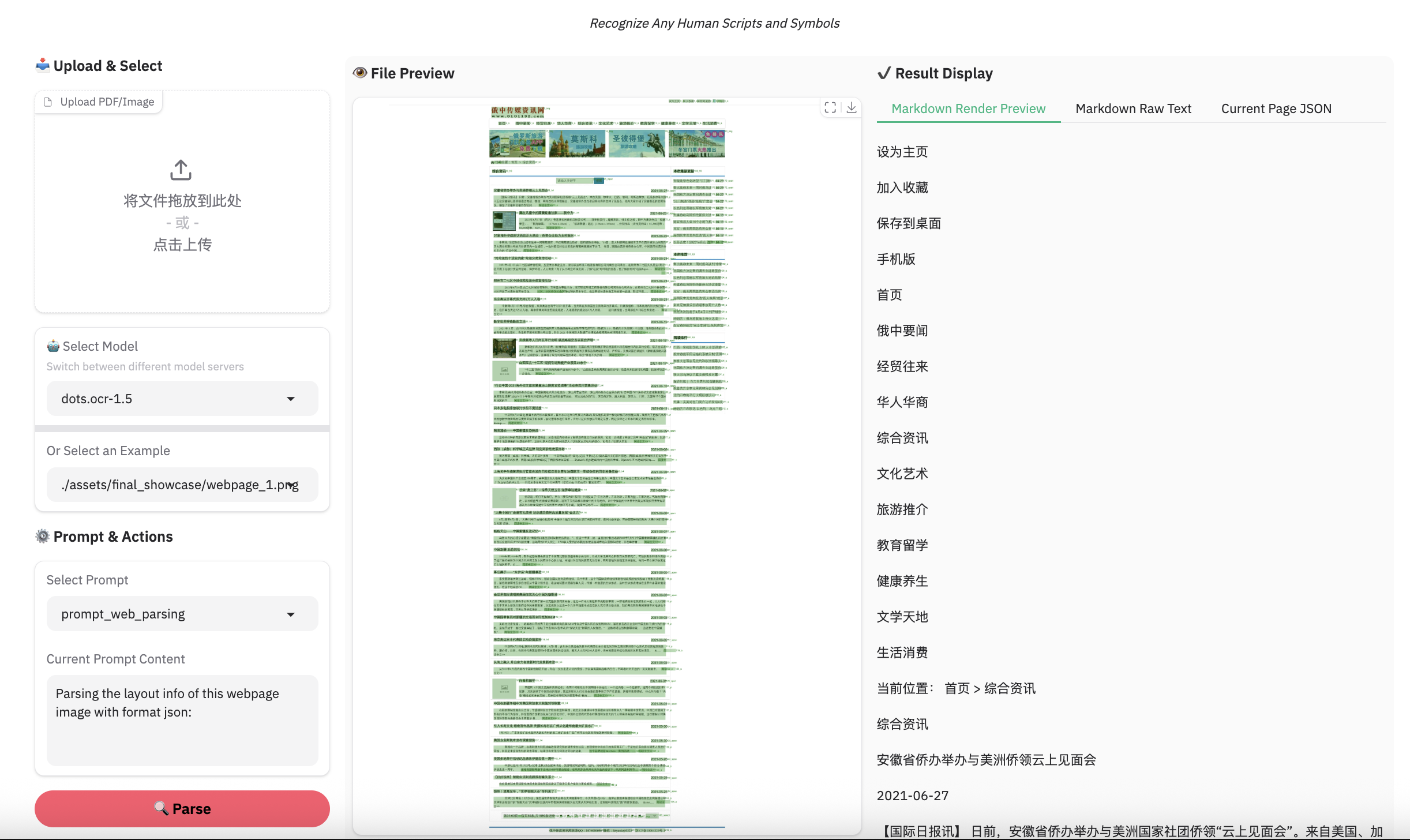
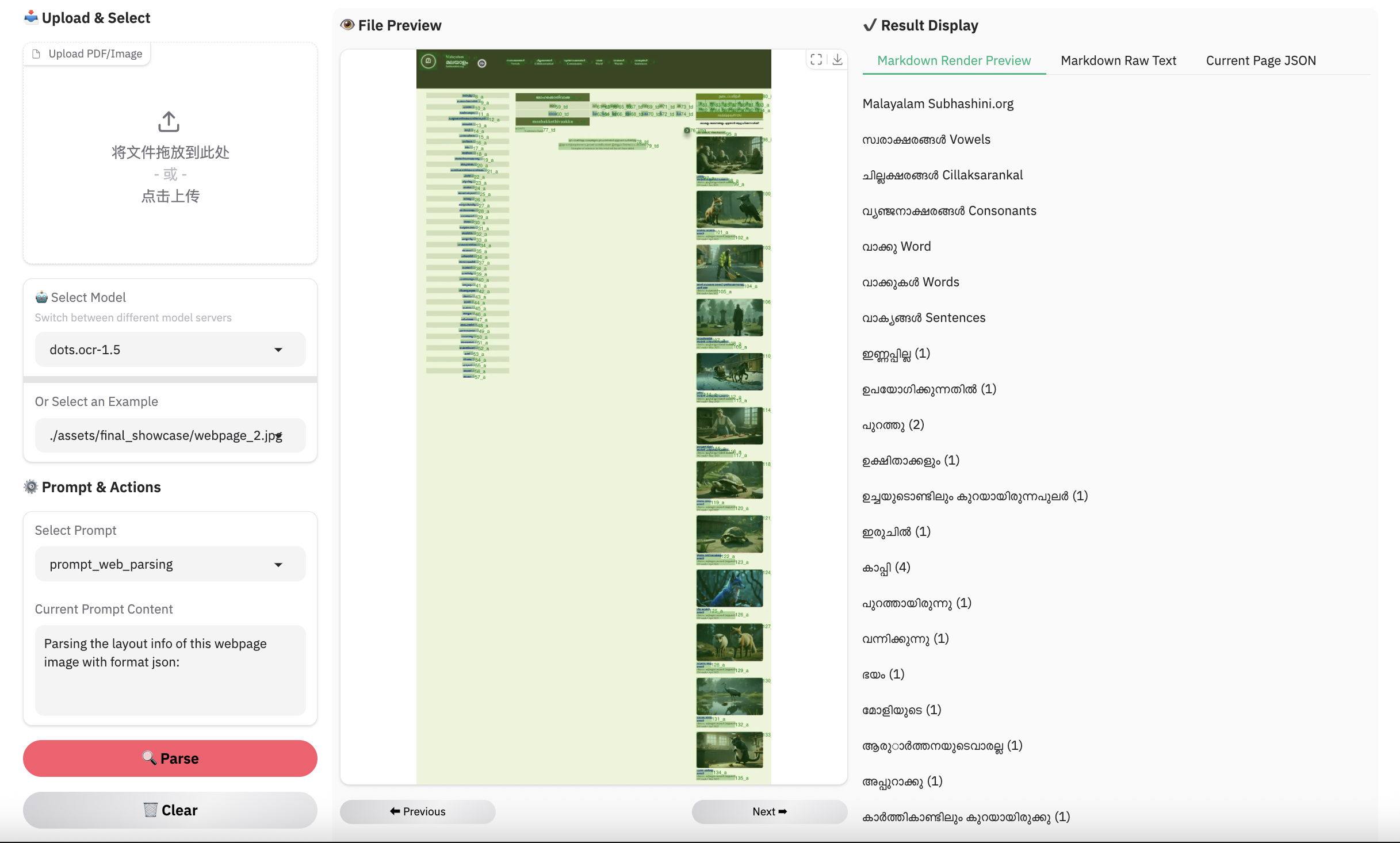
## web parsing
python3 ./demo/demo_vllm.py --prompt_mode prompt_web_parsing --image_path ./assets/showcase/origin/webpage_1.png
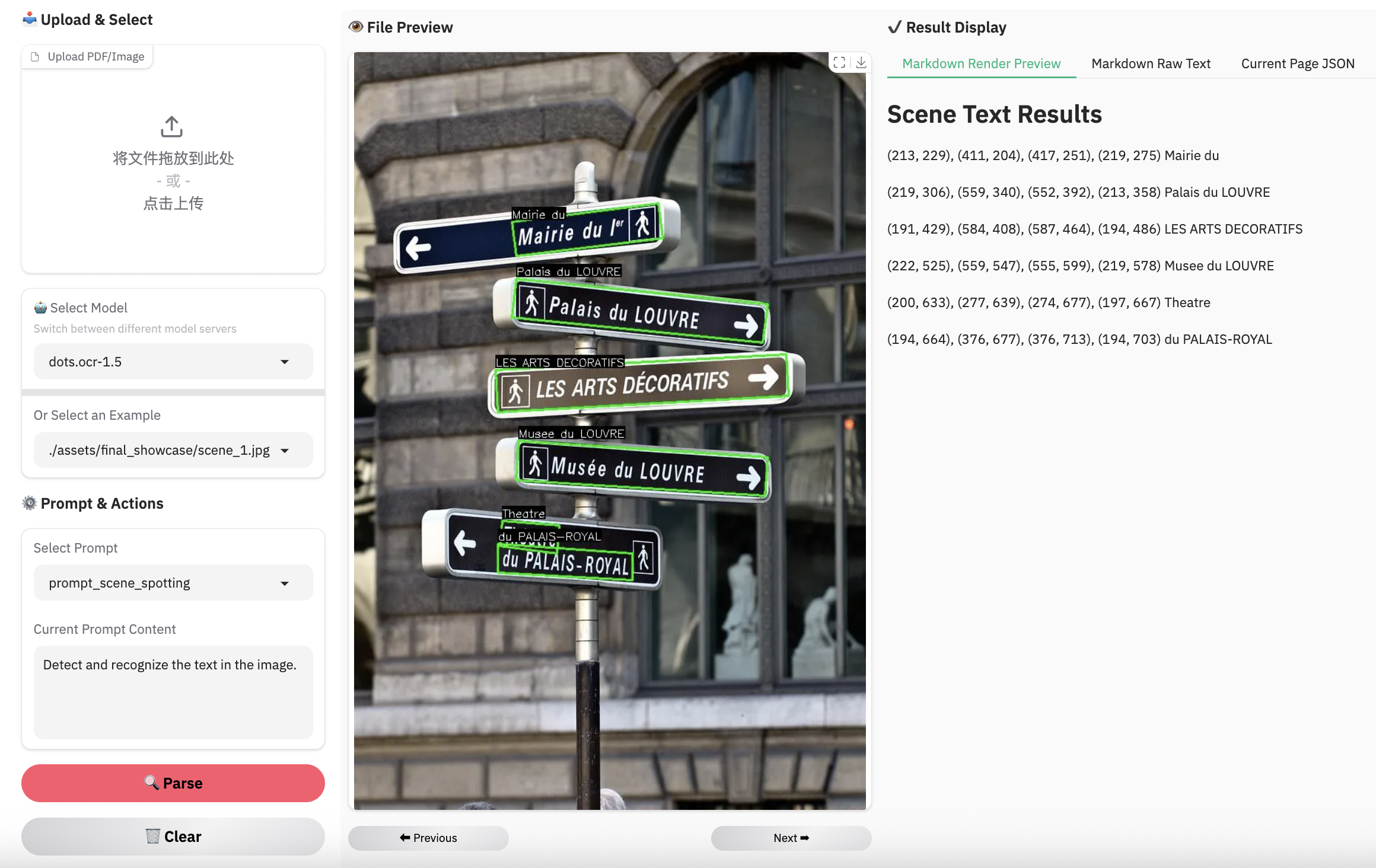
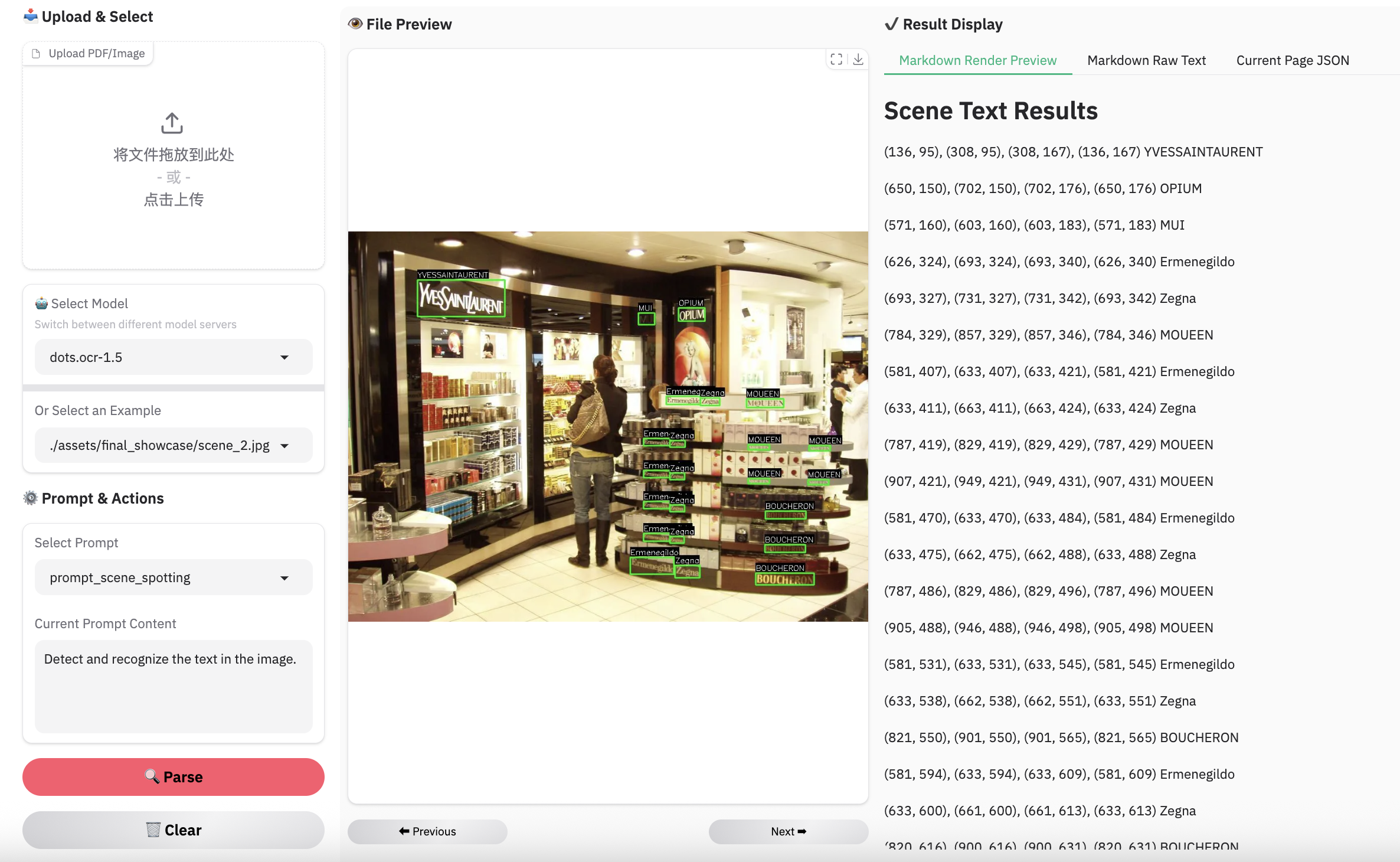
## scene spoting
python3 ./demo/demo_vllm.py --prompt_mode prompt_scene_spotting --image_path ./assets/showcase/origin/scene_1.jpg
## image parsing with svg code
python3 ./demo/demo_vllm_svg.py --prompt_mode prompt_image_to_svg
## general qa
python3 ./demo/demo_vllm_general.py
python3 demo/demo_hf.py
import torch
from transformers import AutoModelForCausalLM, AutoProcessor, AutoTokenizer
from qwen_vl_utils import process_vision_info
from dots_mocr.utils import dict_promptmode_to_prompt

model_path = "./weights/DotsMOCR"
model = AutoModelForCausalLM.from_pretrained(
    model_path,
    attn_implementation="flash_attention_2",
    torch_dtype=torch.bfloat16,
    device_map="auto",
    trust_remote_code=True
)
processor = AutoProcessor.from_pretrained(model_path, trust_remote_code=True)

image_path = "demo/demo_image1.jpg"
prompt = """Please output the layout information from the PDF image, including each layout element's bbox, its category, and the corresponding text content within the bbox.

1. Bbox format: [x1, y1, x2, y2]

2. Layout Categories: The possible categories are ['Caption', 'Footnote', 'Formula', 'List-item', 'Page-footer', 'Page-header', 'Picture', 'Section-header', 'Table', 'Text', 'Title'].

3. Text Extraction & Formatting Rules:
    - Picture: For the 'Picture' category, the text field should be omitted.
    - Formula: Format its text as LaTeX.
    - Table: Format its text as HTML.
    - All Others (Text, Title, etc.): Format their text as Markdown.

4. Constraints:
    - The output text must be the original text from the image, with no translation.
    - All layout elements must be sorted according to human reading order.

5. Final Output: The entire output must be a single JSON object.
"""

messages = [
        {
            "role": "user",
            "content": [
                {
                    "type": "image",
                    "image": image_path
                },
                {"type": "text", "text": prompt}
            ]
        }
    ]

# Preparation for inference
text = processor.apply_chat_template(
    messages,
    tokenize=False,
    add_generation_prompt=True
)
image_inputs, video_inputs = process_vision_info(messages)
inputs = processor(
    text=[text],
    images=image_inputs,
    videos=video_inputs,
    padding=True,
    return_tensors="pt",
)

inputs = inputs.to("cuda")

# Inference: Generation of the output
generated_ids = model.generate(**inputs, max_new_tokens=24000)
generated_ids_trimmed = [
    out_ids[len(in_ids) :] for in_ids, out_ids in zip(inputs.input_ids, generated_ids)
]
output_text = processor.batch_decode(
    generated_ids_trimmed, skip_special_tokens=True, clean_up_tokenization_spaces=False
)
print(output_text)
Please refer to CPU inference
Based on vLLM server, you can parse an image or a pdf file using the following commands:
# Parse all layout info, both detection and recognition
# Parse a single image
python3 dots_mocr/parser.py demo/demo_image1.jpg
# Parse a single PDF
python3 dots_mocr/parser.py demo/demo_pdf1.pdf  --num_thread 64  # try bigger num_threads for pdf with a large number of pages

# Layout detection only
python3 dots_mocr/parser.py demo/demo_image1.jpg --prompt prompt_layout_only_en

# Parse text only, except Page-header and Page-footer
python3 dots_mocr/parser.py demo/demo_image1.jpg --prompt prompt_ocr
Based on Transformers, you can parse an image or a pdf file using the same commands above, just add --use_hf true.
Notice: transformers is slower than vllm, if you want to use demo/* with transformers,just add
use_hf=TrueinDotsMOCRParser(..,use_hf=True)
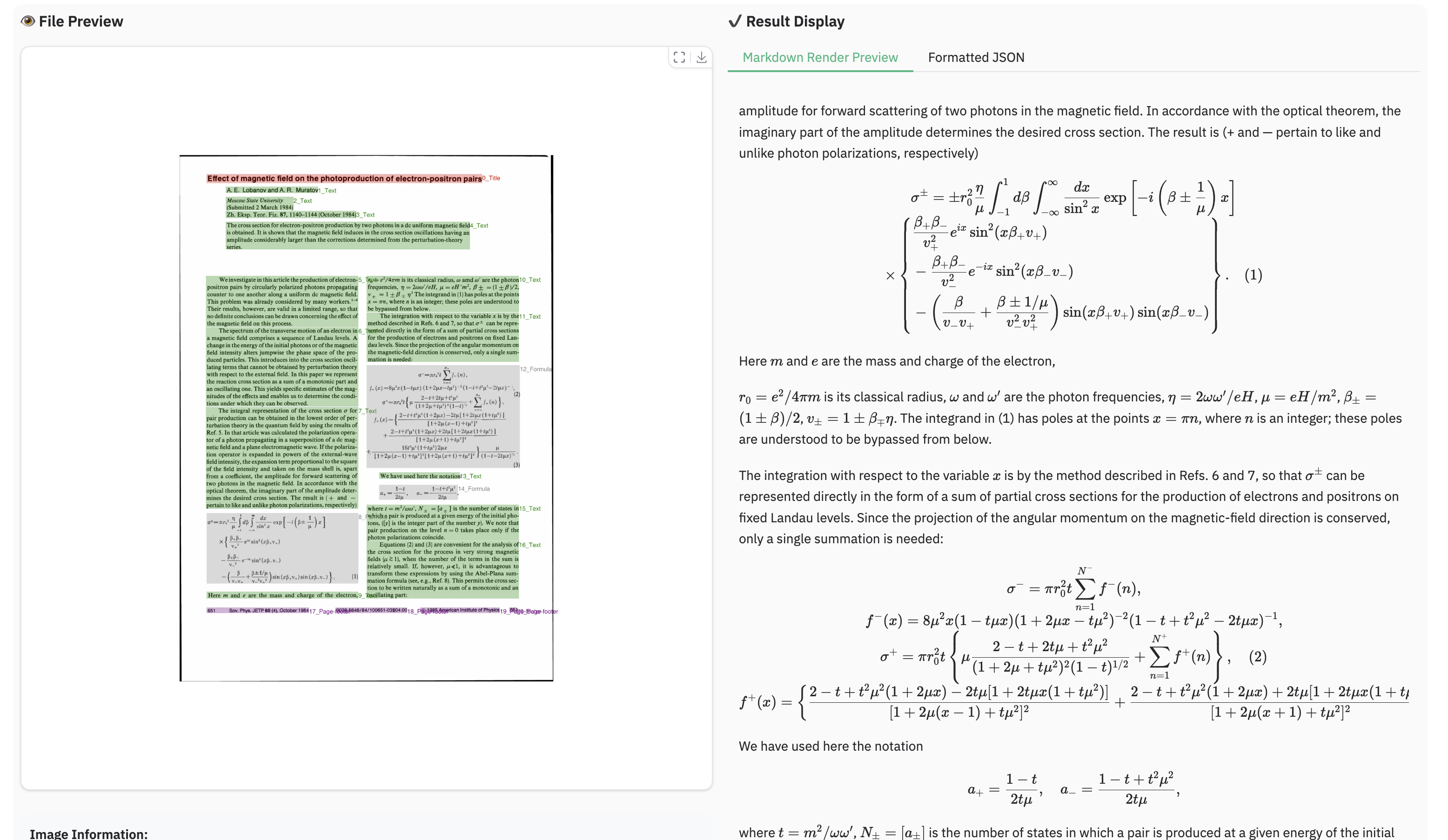
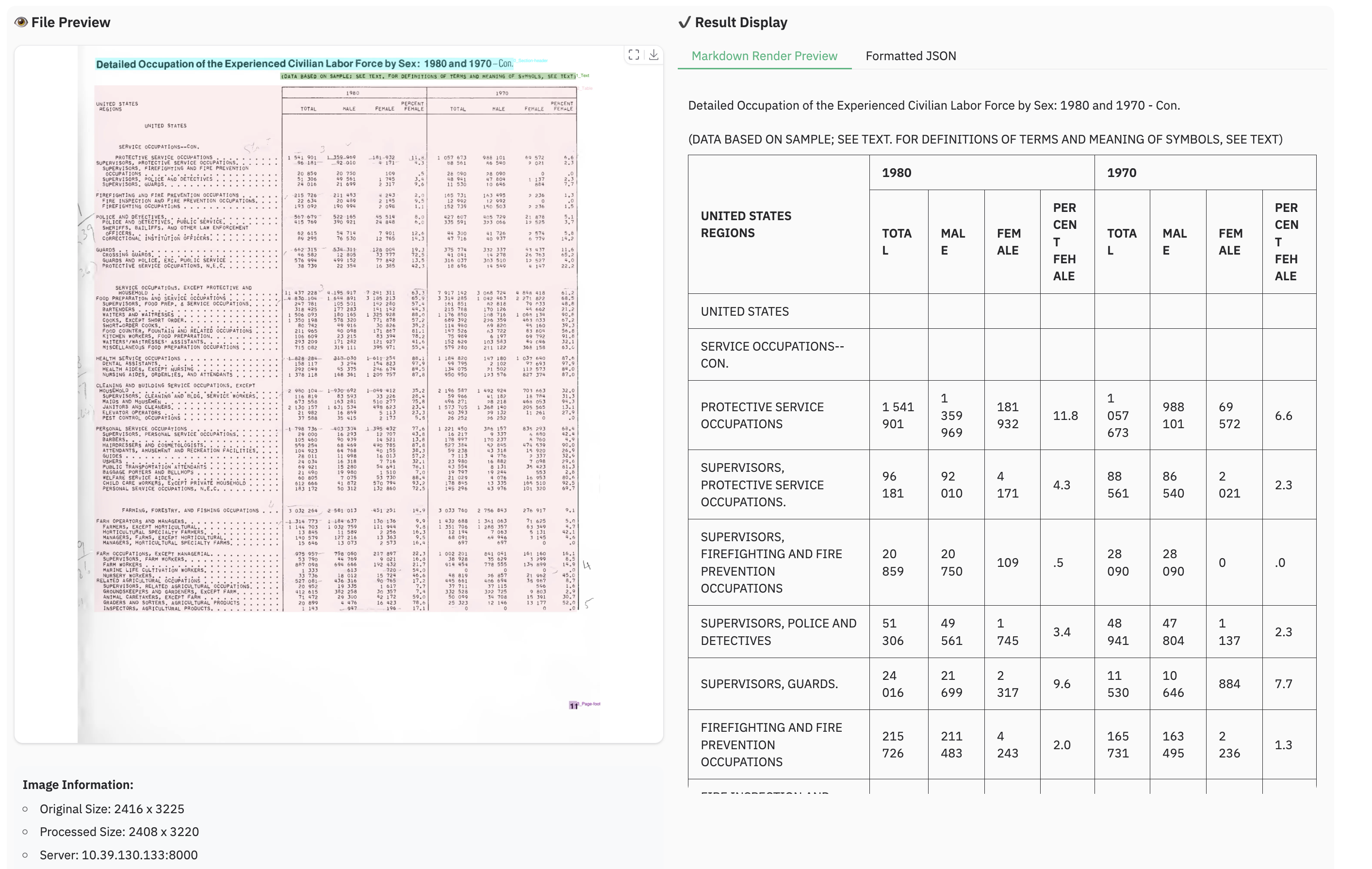
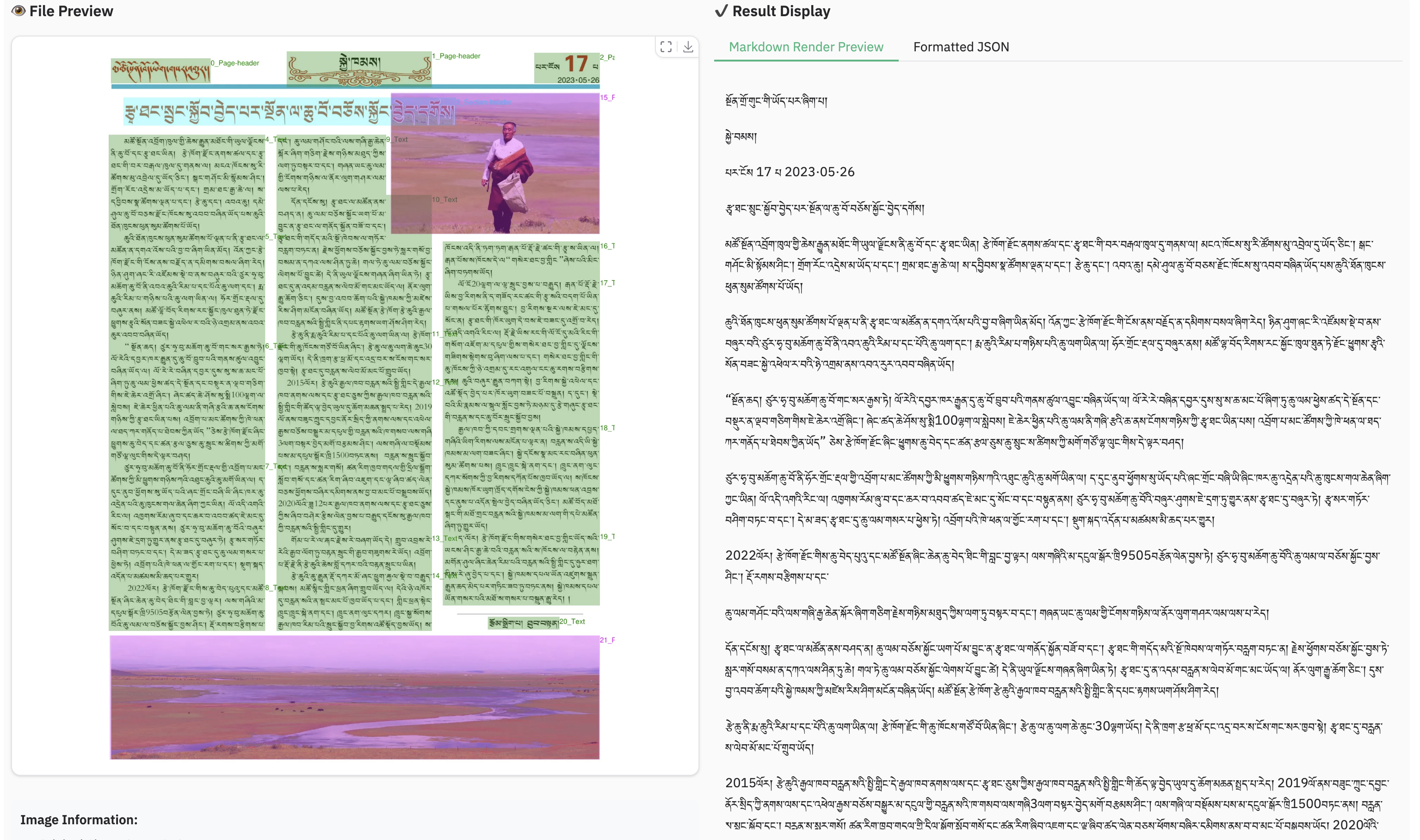
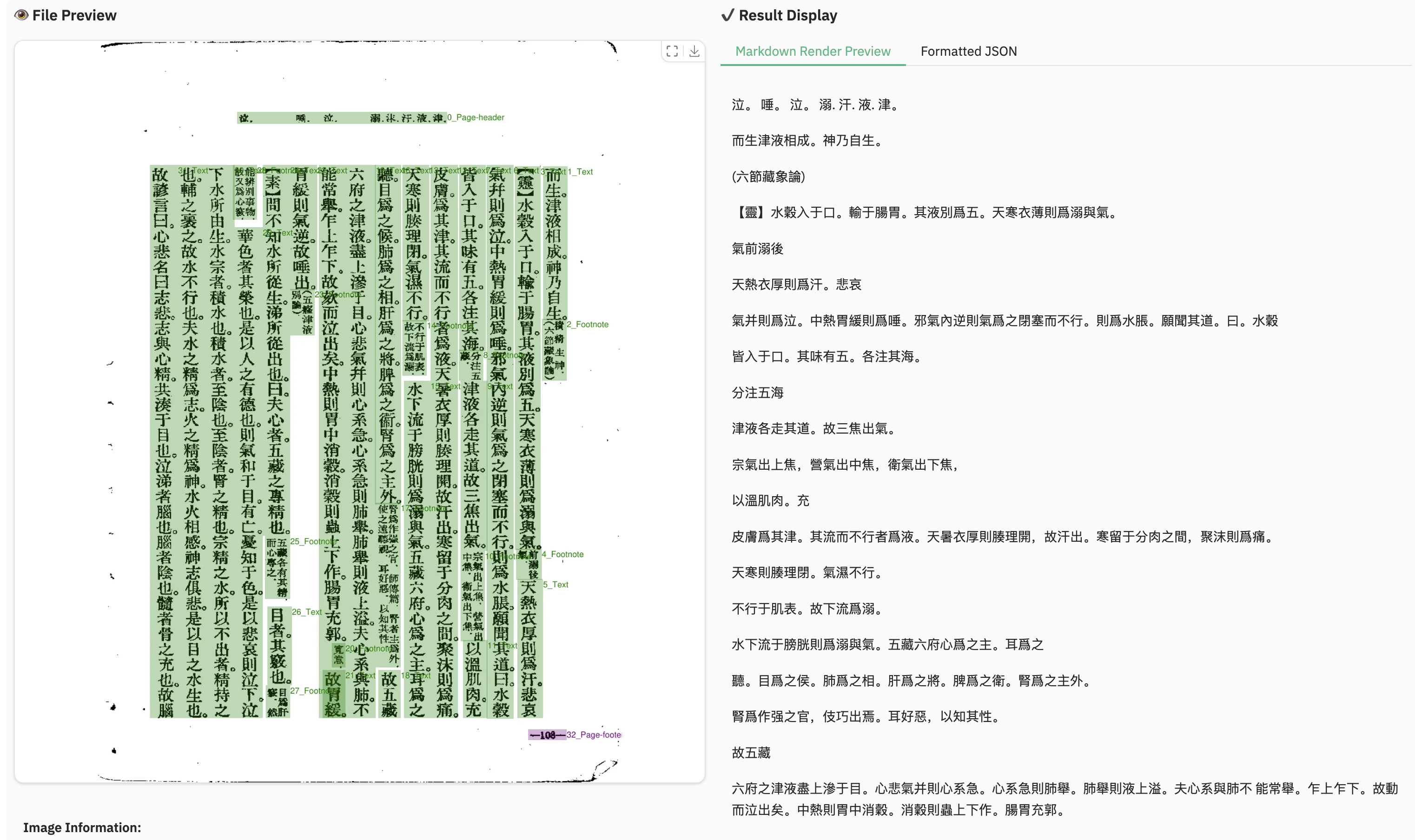
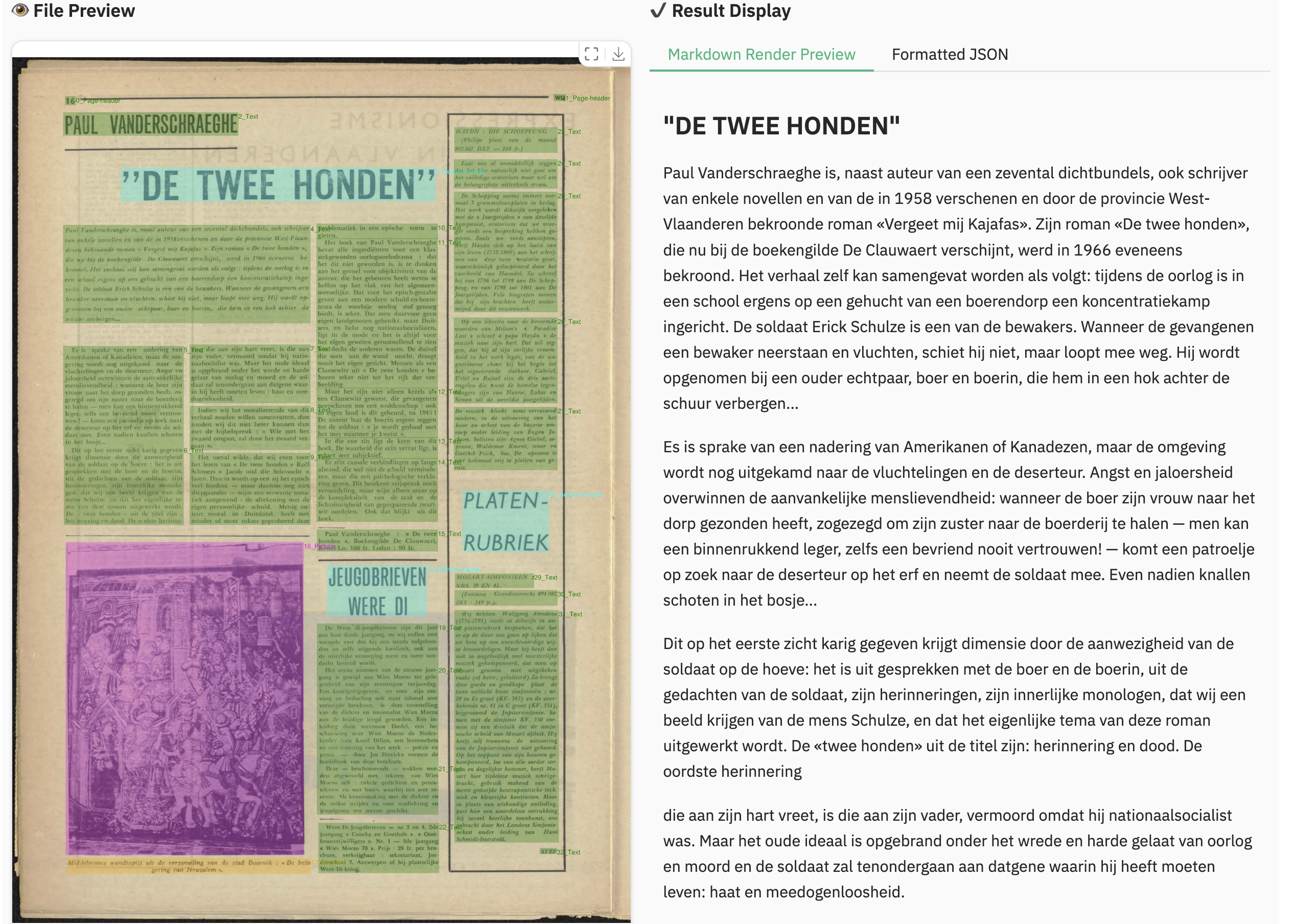
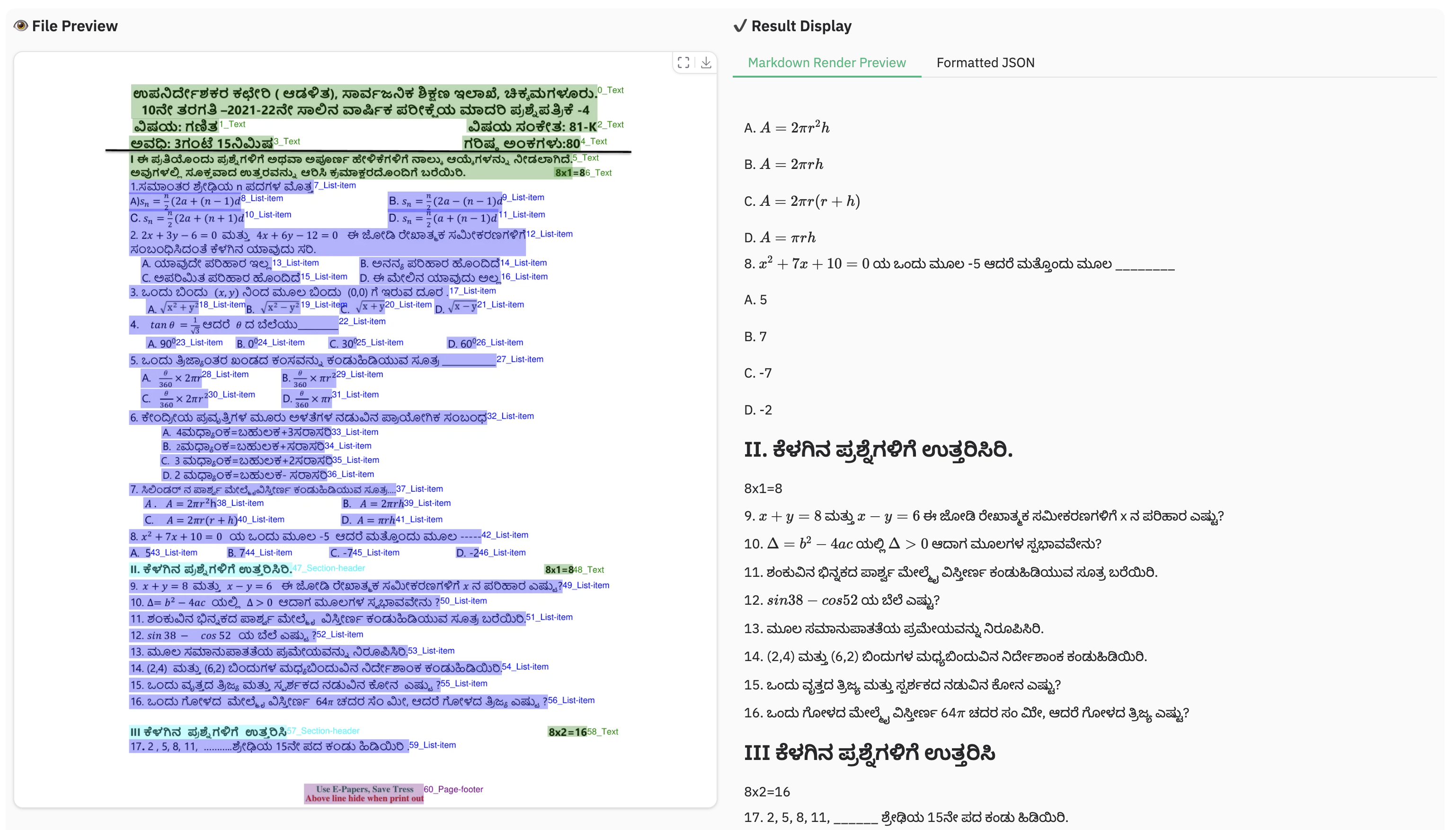
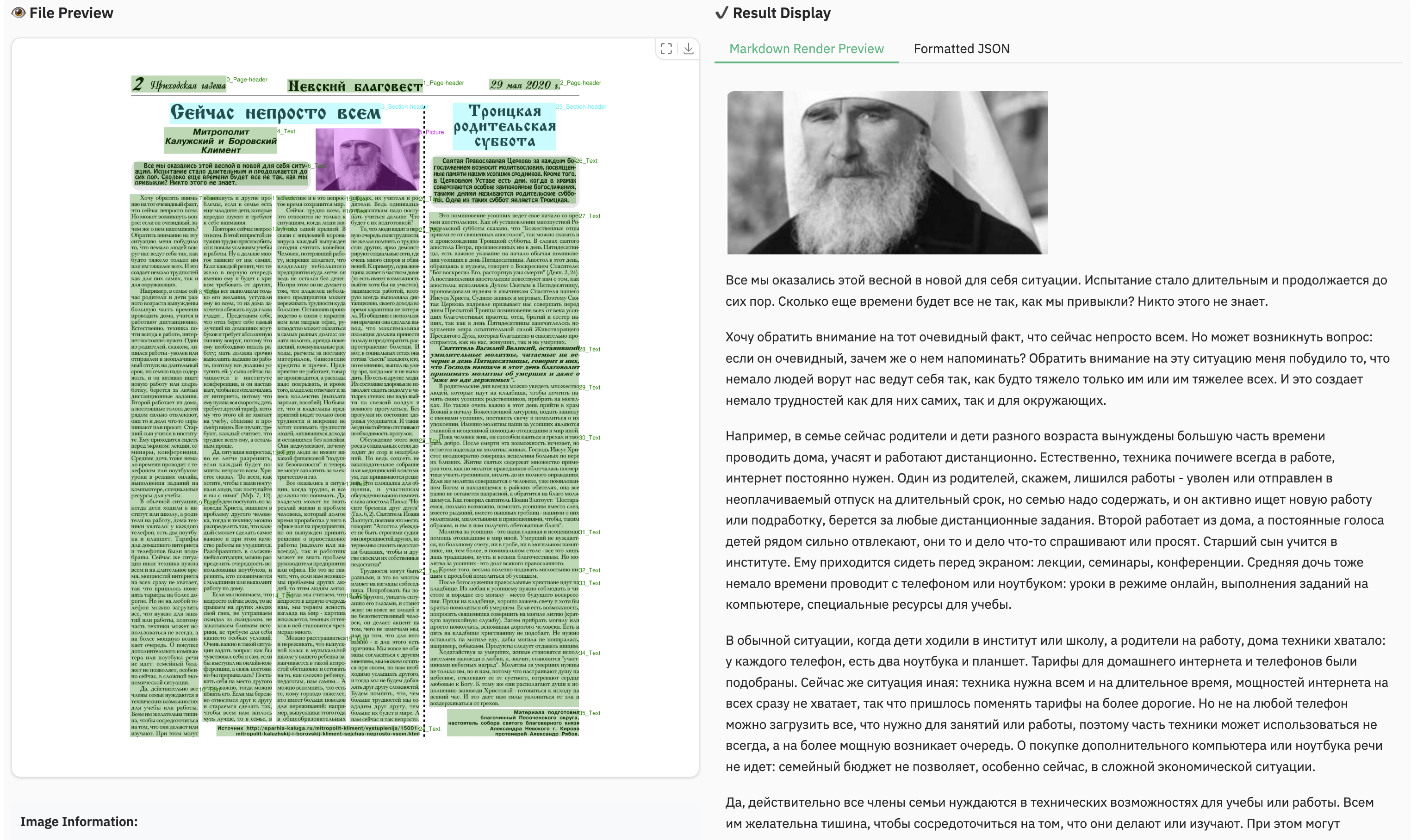
demo_image1.json): A JSON file containing the detected layout elements, including their bounding boxes, categories, and extracted text.demo_image1.md): A Markdown file generated from the concatenated text of all detected cells.demo_image1_nohf.md, is also provided, which excludes page headers and footers for compatibility with benchmarks like Omnidocbench and olmOCR-bench.demo_image1.jpg): The original image with the detected layout bounding boxes drawn on it.Have fun with the live demo.
Note:
- Inferenced by dots.mocr-svg
Complex Document Elements:
Parsing Failures: While we have reduced the rate of parsing failures compared to the previous version, these issues may still occur occasionally. We remain committed to further resolving these edge cases in future updates.
@misc{zheng2026multimodalocrparsedocuments,
      title={Multimodal OCR: Parse Anything from Documents},
      author={Handong Zheng and Yumeng Li and Kaile Zhang and Liang Xin and Guangwei Zhao and Hao Liu and Jiayu Chen and Jie Lou and Jiyu Qiu and Qi Fu and Rui Yang and Shuo Jiang and Weijian Luo and Weijie Su and Weijun Zhang and Xingyu Zhu and Yabin Li and Yiwei ma and Yu Chen and Zhaohui Yu and Guang Yang and Colin Zhang and Lei Zhang and Yuliang Liu and Xiang Bai},
      year={2026},
      eprint={2603.13032},
      archivePrefix={arXiv},
      primaryClass={cs.CV},
      url={https://arxiv.org/abs/2603.13032},
}
Base model
dots-studio/dots.mocr